gpt-oss-20b Made Easy. Full-Parameter Fine-Tuning on a Single GPU
It's possible to train OpenAI's gpt-oss-20b with a single GPU using my new Python package, Eric Transformer! Eric Transformer also supports retrieval‑augmented generation with just a few lines of code. An H200 GPU (which has 141 GB of VRAM) is sufficient to perform full‑parameter 16‑bit fine‑tuning on a 20‑billion‑parameter model. That's right – full‑parameter fine‑tuning, not LoRA.
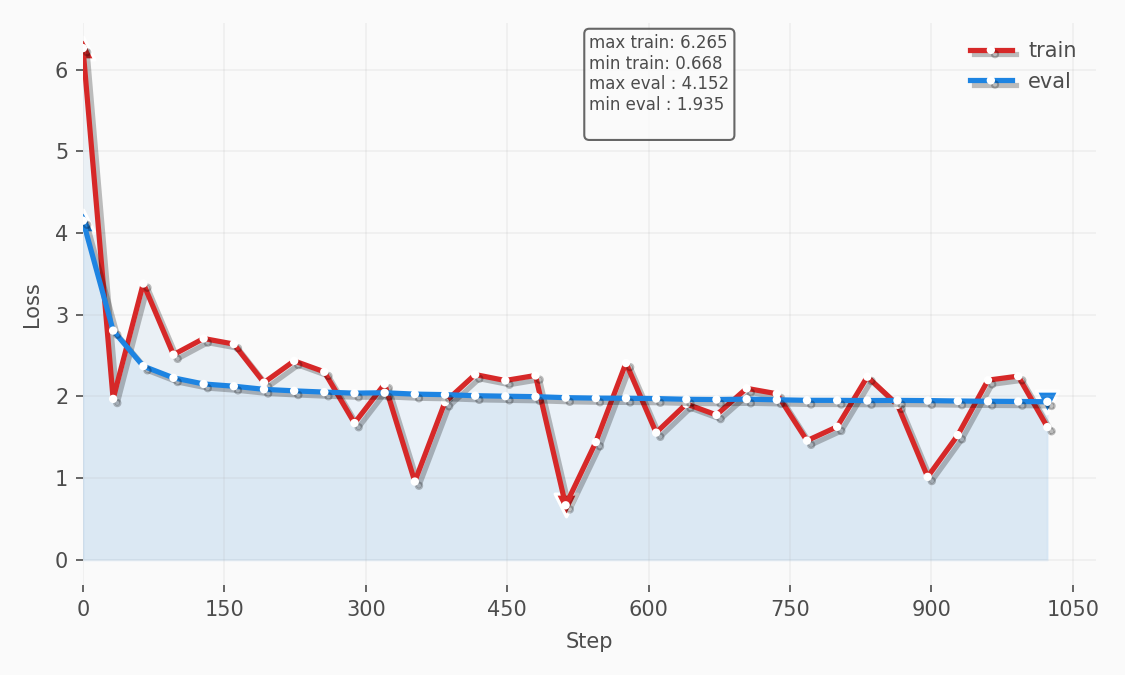
Eric Transformer uses pure PyTorch for its training loop, which allowed me to implement several optimizations, including local experiment tracking. Below is the loss chart from the experiment we’ll discuss in this article:
Regardless of which dataset you use to fine‑tune your model, the fundamentals described in this article remain the same. For this article, however, I used the databricks/databricks-dolly-15k dataset, which I found makes the model respond more concisely and with fewer tables and emojis.
Create a Runpod Account
Runpod offers cost effective H200s that are easy to get up and running. I've been using and recommending Runpod for years, long before participating in their affiliate program. But, now I'm happy to share the following affiliate link which provides you with a one-time credit between $5 to $500 when you sign up and add $10 to your account.
https://runpod.io?ref=rh7fgnfm
Launch an instance
Click the Pods section and then select H200 SXM.
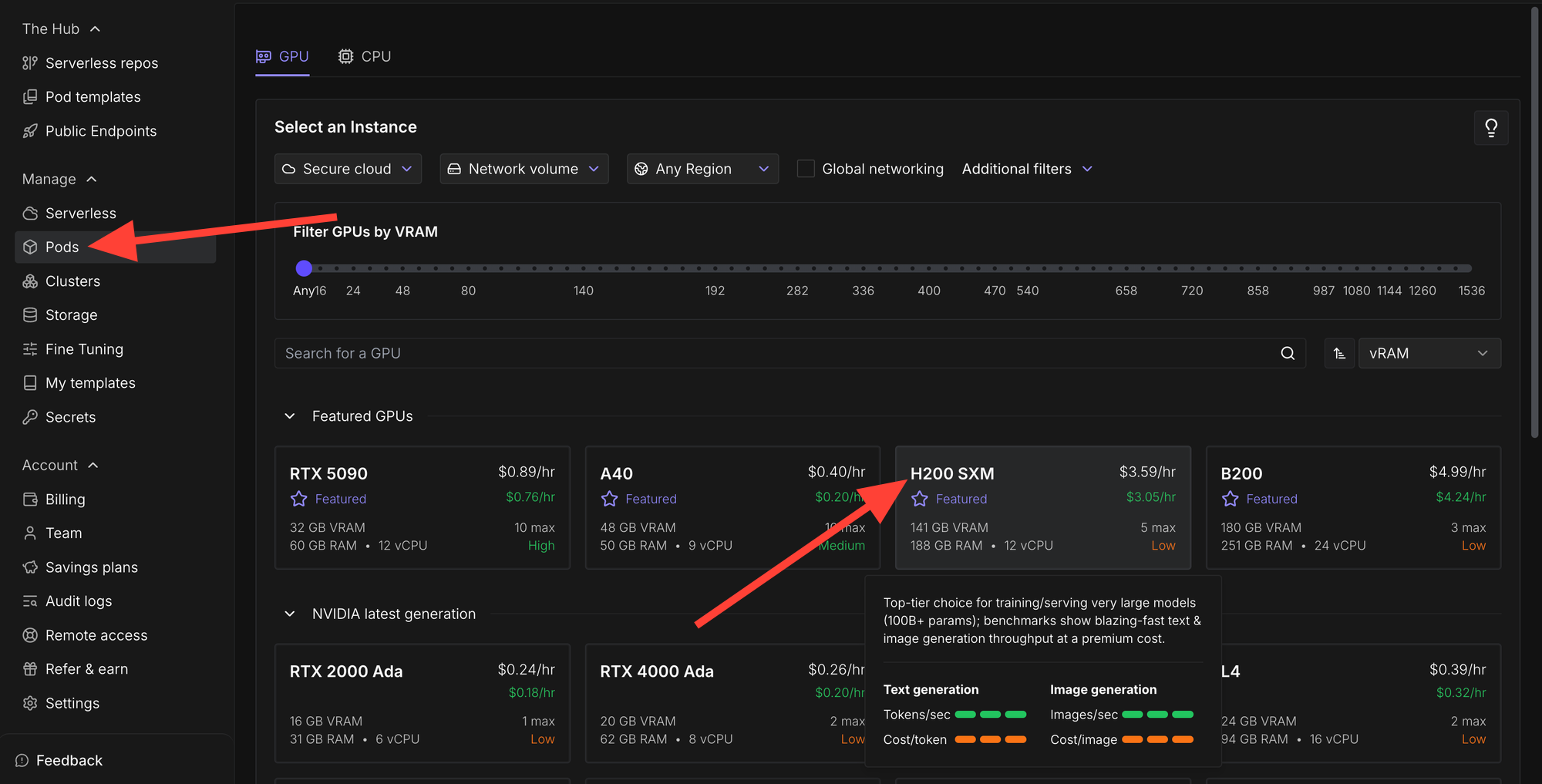
Click change template.

Then select RunPod PyTorch 2.8.0 from the
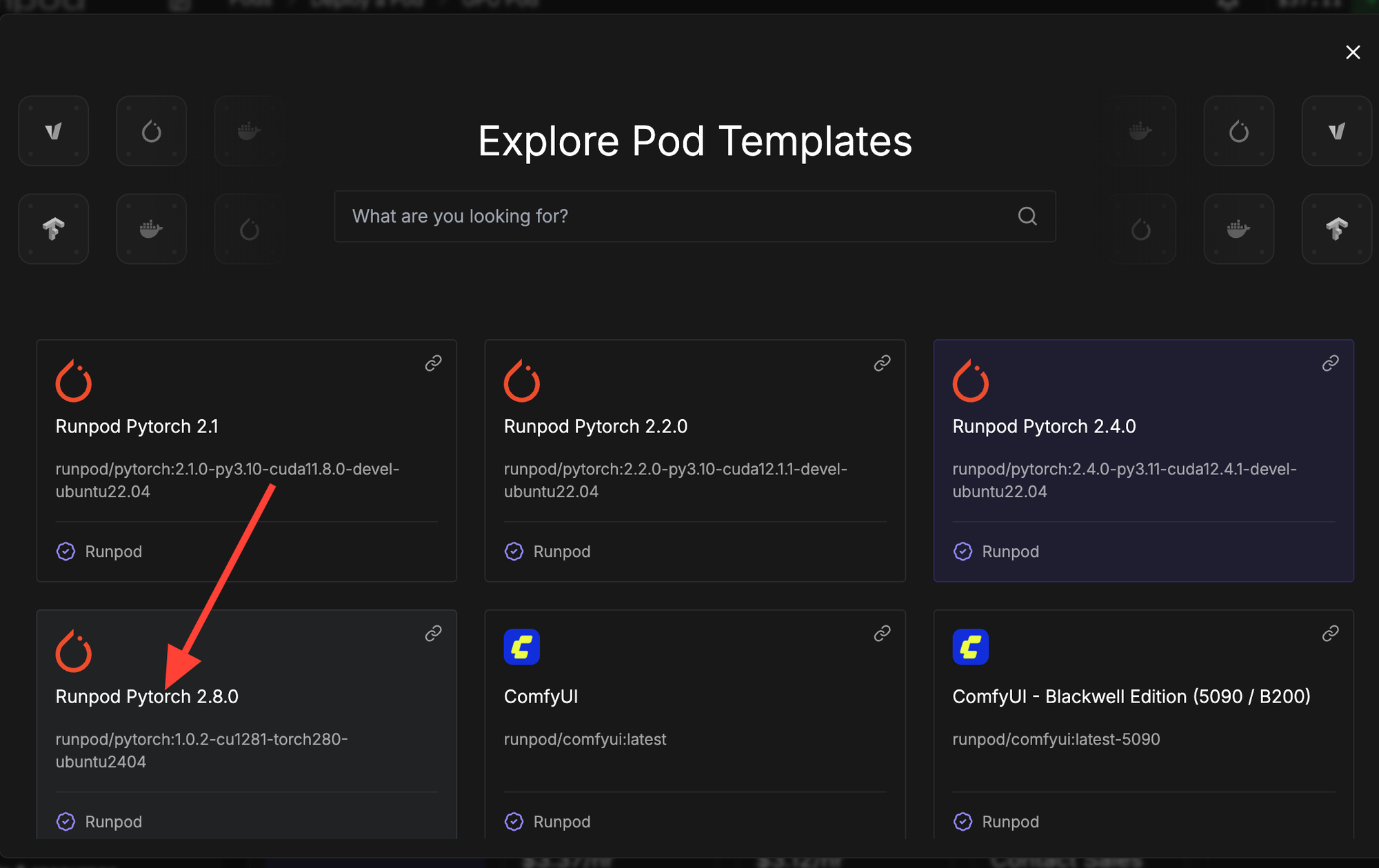
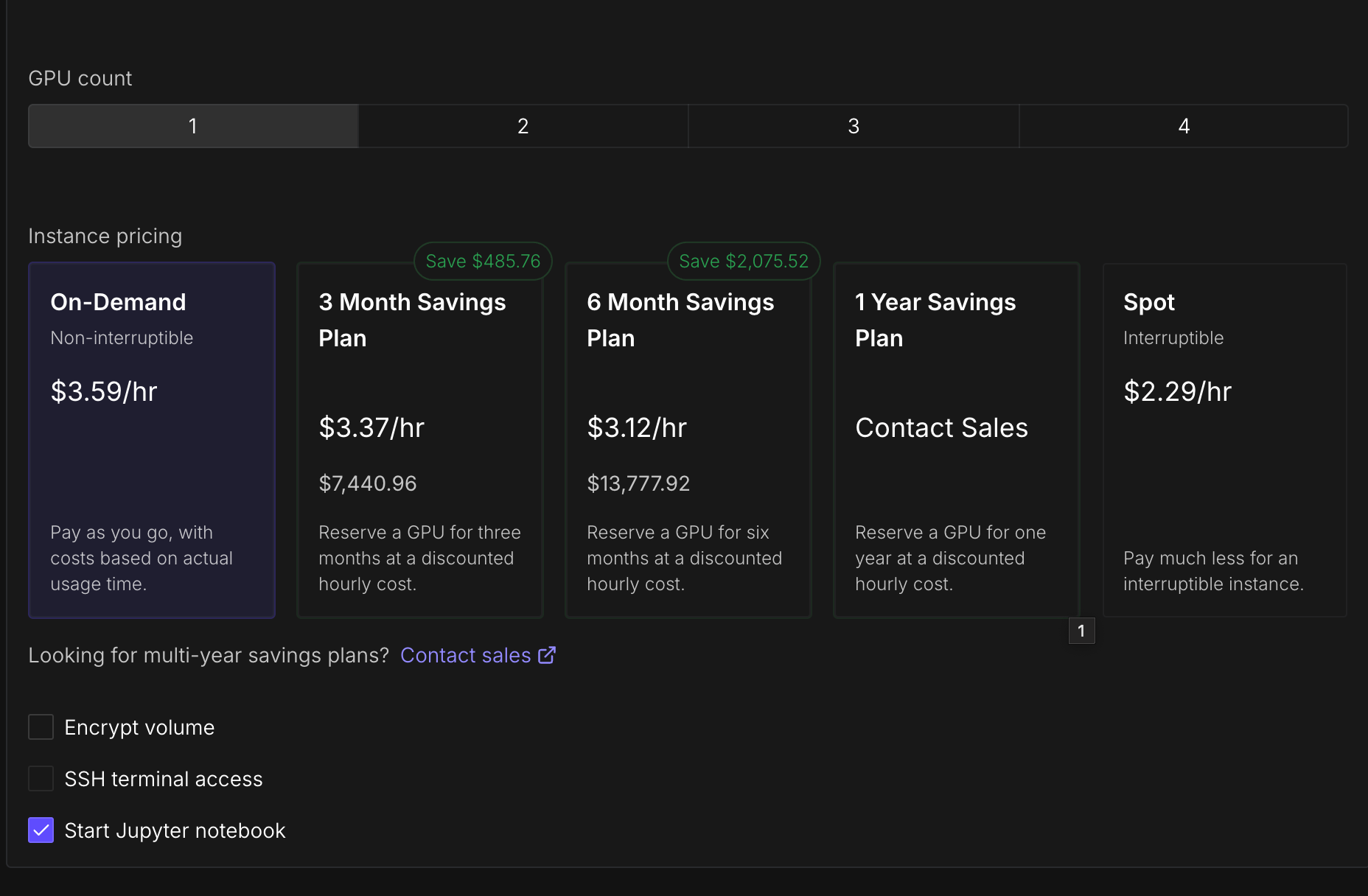
Here are the settings I'm using. Notice how Start Jupyter Notebook is enabled.
Increase the storage so you have enough disk space for the data, the model, checkpoints, and so on. I recommend at least 500 GB, especially if you plan on experimenting with different training runs.
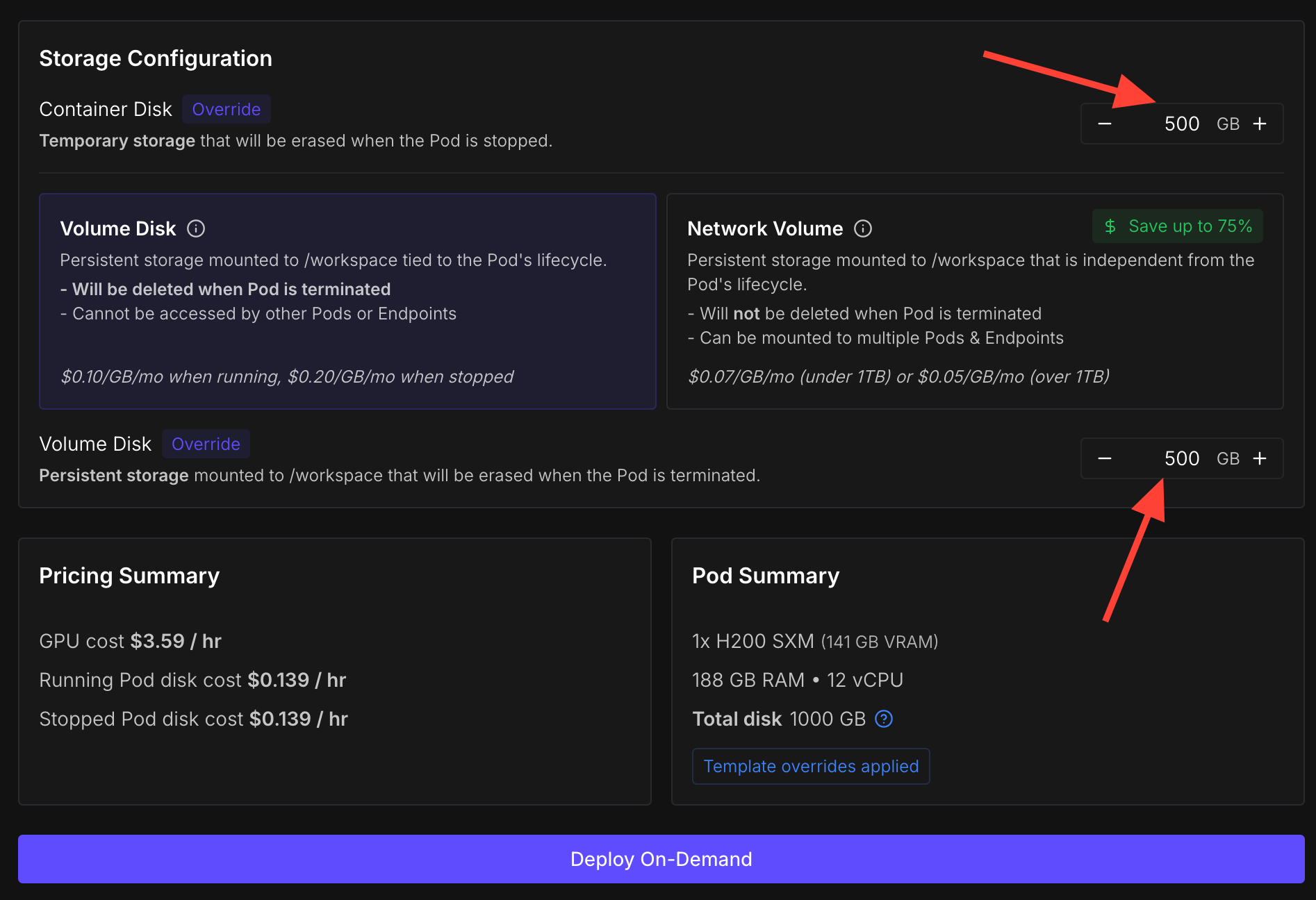
Finally click 'Deploy On-Demand'!
Install Dependencies
We’ll use my Python package called Eric Transformer, which abstracts fine‑tuning, pretraining, and RAG. Its training loop is written in pure PyTorch and can train a 20‑billion‑parameter model on a single GPU.
pip install erictransformerWe'll fine-tune openai/gpt-oss-20b which requires Hugging Face's Accelerate library.
pip install accelerate If you're using Runpod you should also install hf_transfer since it's enabled by default.
pip install hf_transfer We'll load data with Hugging Face's dataset library.
pip install dataset Instantiate a Model
from erictransformer import EricChat, EricTrainArgs

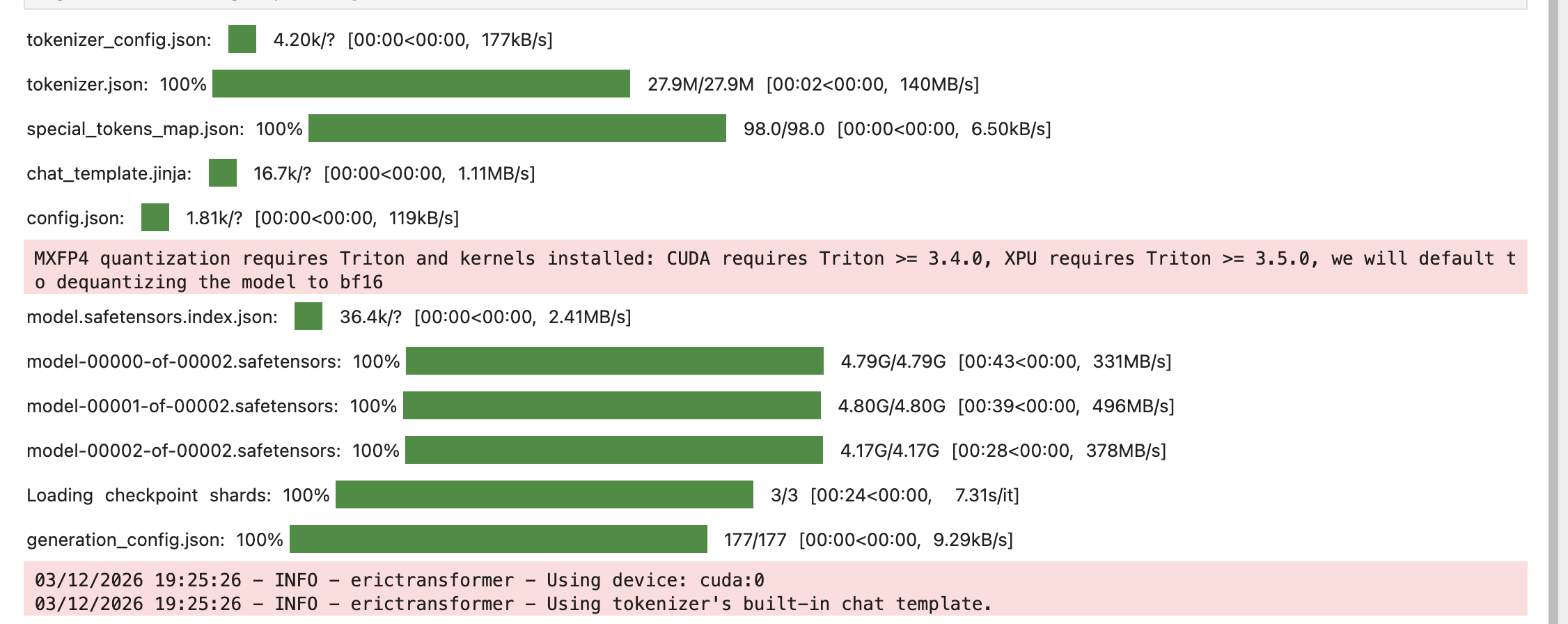
eric_chat = EricChat(model_name="openai/gpt-oss-20b")

args = EricTrainArgs(optim="sgd")
Preprocess Data
Eric Chat requires both the training and evaluation data to be in the following format within JSONL files:
{"messages":[{"role":"user","content":"Hi!"},{"role":"assistant","content":"Hello!"}, {"role":"user","content":"What's 2+2?"}, {"role":"assistant","content":"4"}]}
{"messages":[{"role":"user","content":"Hi this is the second example!"},{"role":"assistant","content":"Cool!"}, {"role":"user","content":"What's 2+3?"}, {"role":"assistant","content":"5"}]}
Below is the code for preprocessing the data. It creates two output files: train.jsonl and eval.jsonl. I set the TRAIN_CASES variable to 1024 for fast experimentation. The dataset contains a total of 15,011 cases, so the sum of TRAIN_CASES and EVAL_CASES must be less than or equal to that number.
import json
from datasets import load_dataset

TRAIN_CASES = 1024
EVAL_CASES = 128
MAX_CHARS = 5_000

ds = load_dataset("databricks/databricks-dolly-15k", split="train")

all_data = ds.train_test_split(test_size=EVAL_CASES, seed=42)

train_cases = all_data["train"].select(range(TRAIN_CASES))

eval_cases = all_data["test"]


def get_message_with_context(context, instruction, response):
    return {"messages": [
        {"role": "user", "content": context[:MAX_CHARS]},
        {"role": "user", "content": instruction[:MAX_CHARS], },
        {"role": "assistant", "content": response[:MAX_CHARS], },
    ]
    }


def get_message(instruction, response):
    return {"messages": [
        {"role": "user", "content": instruction[:MAX_CHARS], },
        {"role": "assistant", "content": response[:MAX_CHARS], },]
    }


with open("train.jsonl", "w", encoding="utf-8") as f:
    for case in train_cases:
        if case["context"]:
            row = get_message_with_context(case["context"], case["instruction"], case["response"])

        else:
            row = get_message(case["instruction"], case["response"])
        f.write(json.dumps(row, ensure_ascii=False) + "\n")

with open("eval.jsonl", "w", encoding="utf-8") as f:
    for case in eval_cases:
        if case["context"]:
            row = get_message_with_context(case["context"], case["instruction"], case["response"])

        else:
            row = get_message(case["instruction"], case["response"])
        f.write(json.dumps(row, ensure_ascii=False) + "\n")
Train
Now let’s define the training arguments with the EricTrainArgs() class. A full list of available parameters is provided here It’s essential to set the optim parameter to "sgd" so that we use the stochastic gradient descent optimizer, which consumes less memory than the default optimizer.
For your first training run, set eval_steps and log_steps to 32 and use only a few thousand training cases. This lets you verify that everything works correctly before committing to larger runs. After my initial test, I usually increase eval_steps to around 256 so that evaluation doesn’t consume too much time relative to training.
After you've create your EricTrainArgs() object, call eric_chat.train() and pass "train.jsonl", "eval.jsonl" and train_args to it.
train_args = EricTrainArgs(optim="sgd",
eval_steps=32,
log_steps=32)

eric_chat.train("train.jsonl", eval_path="eval.jsonl", args=train_args)

eric_chat.save("model/")
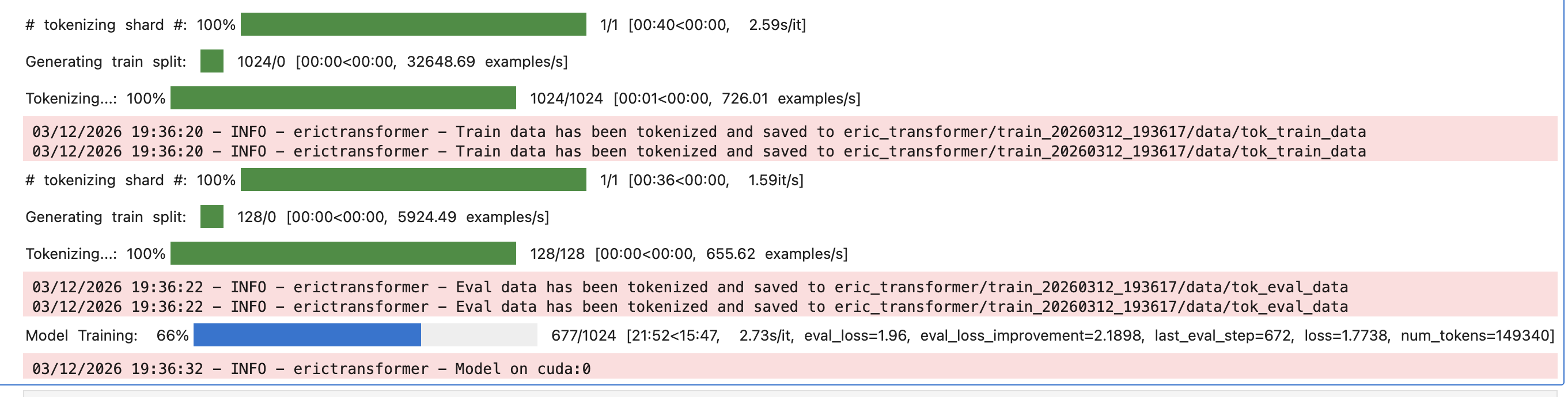
The code above will create a folder called eric_transformer/ with subfolders for each of your training runs. Within those subfolders are useful files, including one named loss_curve.png that shows the training and evaluation losses.
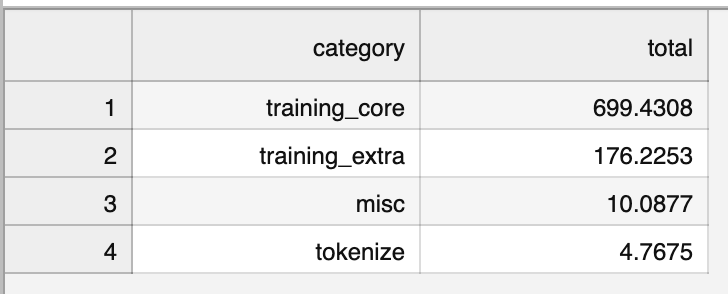
Within each subfolder for a training run, there is another folder called time/ that you can explore to optimize and reduce your training time. The file summary.csv shows the amount of time spent in each high‑level section. If the training_extra section takes up a significant amount of time, examine categories/training_extra.csv. To shorten the runtime, consider reducing eval_steps, log_steps, or checkpoint_steps, or disabling save_best. In the example from this tutorial we do not perform checkpointing or save the best model.
Push to Hugging Face
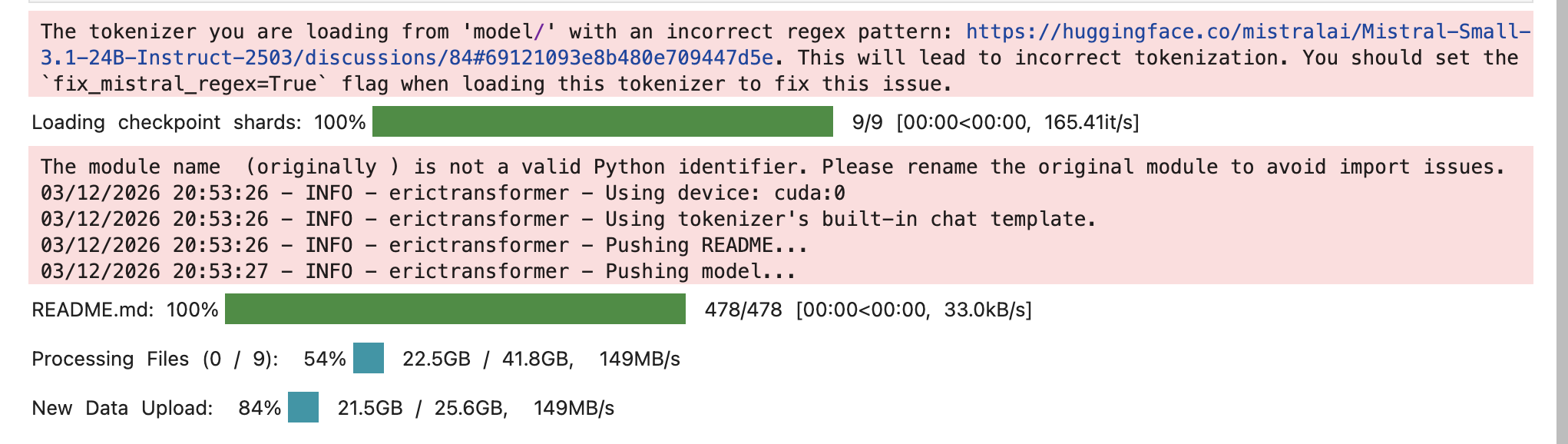
To push the model to Hugging Face first login.
hf auth login
You can reload the model from the save path model/ and then push it to a repository using the .push() method.
eric_chat = EricChat(model_name="model/")

eric_chat.push("HF ID")
Inference
From my experience, fine-tuning gpt-oss-20b on databricks/databricks-dolly-15k makes the model answer more concisely. Here is the code for performing standard inference:
from erictransformer import CHATCallArgs


eric_chat = EricChat(model_name="model/")

# eric_chat = EricChat(model_name={HF ID})

# visit Eric Transformer's documentation for additional settings
args = CHATCallArgs(top_k=32)

prompt = "What is artificial intelligence?"

result = eric_chat(prompt, args=args)

print(result.text)
Output: Transformer models are a type of neural network architecture that has become a cornerstone of modern natural language processing (NLP). Unlike earlier models such as recurrent neural networks (RNNs) and convolutional neural networks (CNNs), transformers do not process data sequentially. Instead, they use a mechanism called **self‑attention** to weigh the influence of different words in a sentence relative to each other, enabling the model to capture long‑range dependencies more efficiently ...
Streaming can be performed by using the .stream() method.
eric_chat = EricChat(model_name="model/")

# eric_chat = EricChat(model_name={HF ID})

prompt = "What is artificial intelligence?"

for token in eric_chat.stream(prompt):
  if token.marker == "text":
    print(token.text, end="")
Output: Artificial intelligence (AI) is the field of computer science that focuses on creating systems capable of performing tasks that typically require human intelligence. These tasks include reasoning, learning, problem-solving, perception, language understanding, and decision-making.
Retrieval Augmented Generation
Eric Transformer makes it easy to perform retrieval augmented generation (RAG). I have a full article on it you can see here. In this article I cover how to build a vector database that contains all of Wikipedia and use it to perform RAG with gpt-oss-20b.
Links
Drop Eric Transformer a ⭐ to show your support.
Subscribe to Vennify's YouTube channel for upcoming content on NLP.
Runpod Affiliate Link: Get between a one-time $5 to $500 credit after you add $10 for the first time. Runpod has B200s available!