Open-Source Vector Search Made Easy With Python
I created an open‑source vector search engine called Eric Search that lets you perform Retrieval‑Augmented Generation (RAG) with just a few lines of code when combined with Eric Transformer. In this article, I'll show you how to leverage a snapshot of English Wikipedia to perform RAG with gpt-oss-20b.
Here are three key benefits of Eric Search over similar tools:
- Scalable to millions of documents while maintaining low memory usage.
- Compatible with both MPS and CUDA
- Built text ranking. Relevant data is extracted from the top documents.
Theory
This section covers the theory behind how Eric Search can scale to millions of documents. I simplified it in some places, but overall it paints a picture of how Eric Search works. Feel free to skip this part and scroll down to see the code example.
Representing Text as Vectors
By default, Eric Search uses an embedding model called sentence-transformers/all-MiniLM-L6-v2 to represent text in 384 dimensions. Texts that have similar meanings are close to each other in the multi‑dimensional vector space.
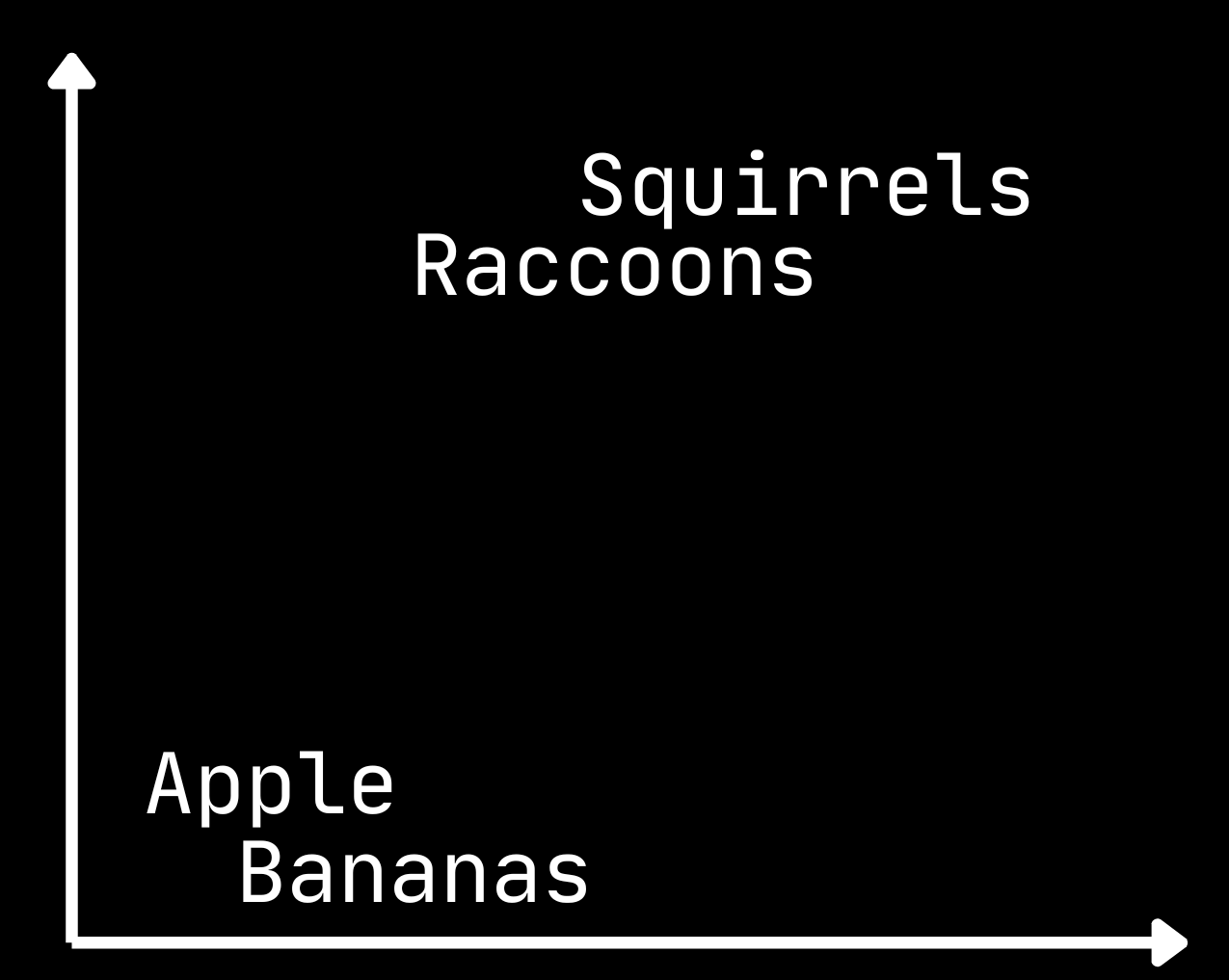
Two-Level Inverted File Index
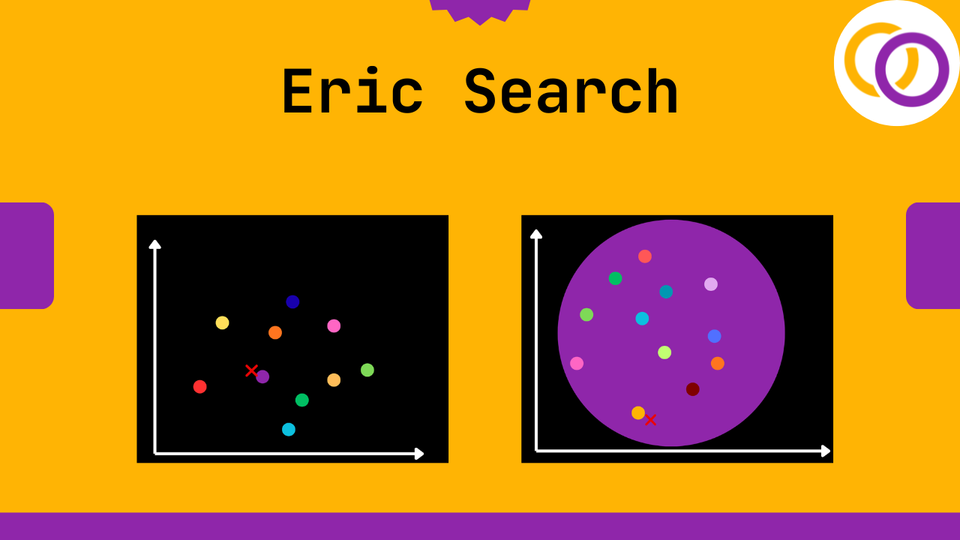
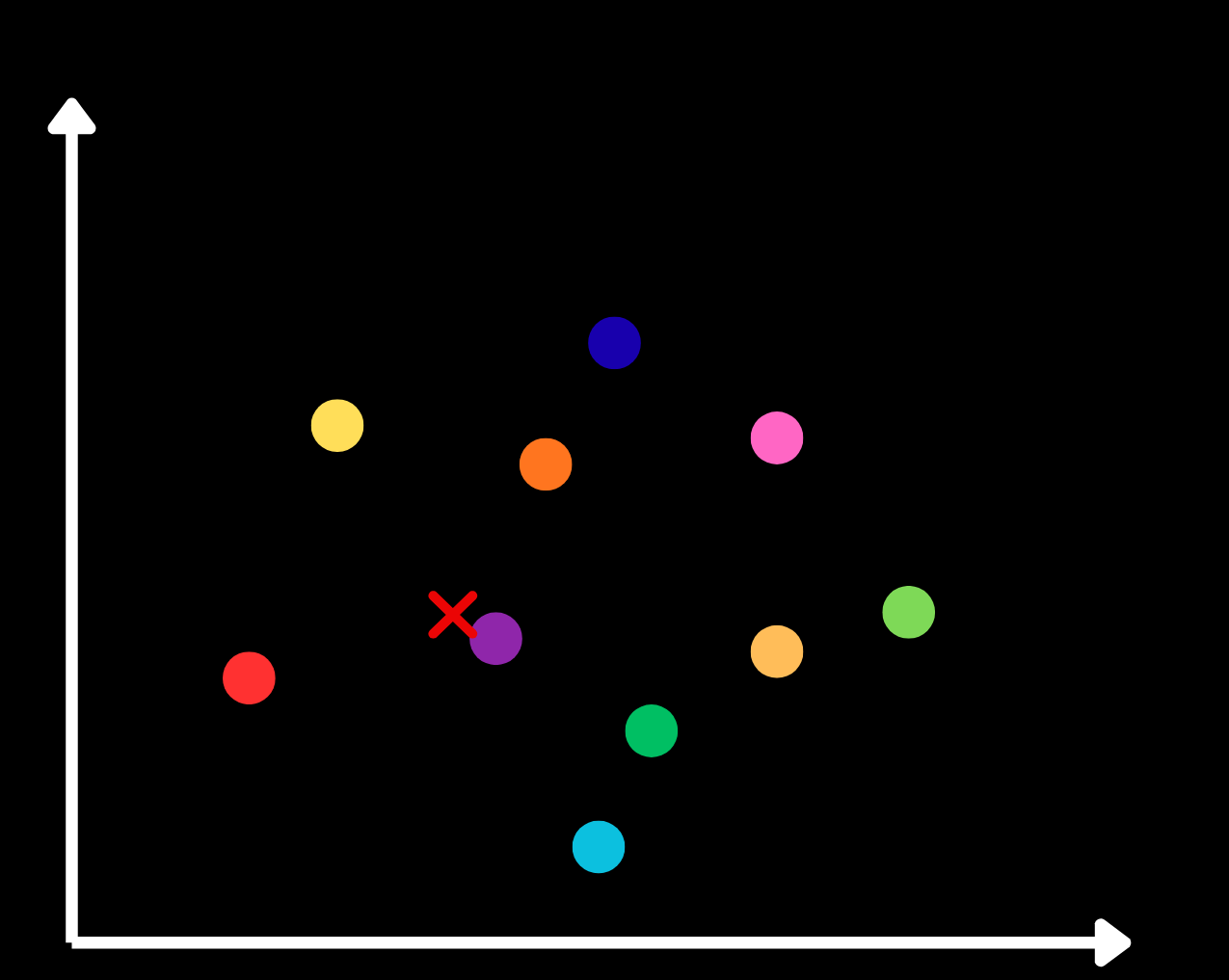
I used a highly scalable technique called a two‑level inverted file (IVF) index. First, a vector is created for each document using an embedding model. Then the documents are grouped by clustering them with k‑means, producing a single vector for each cluster – called the centroid.
In the image below we have ten clusters. I marked a sample prompt with a red ×, and the purple cluster is the one closest to it.
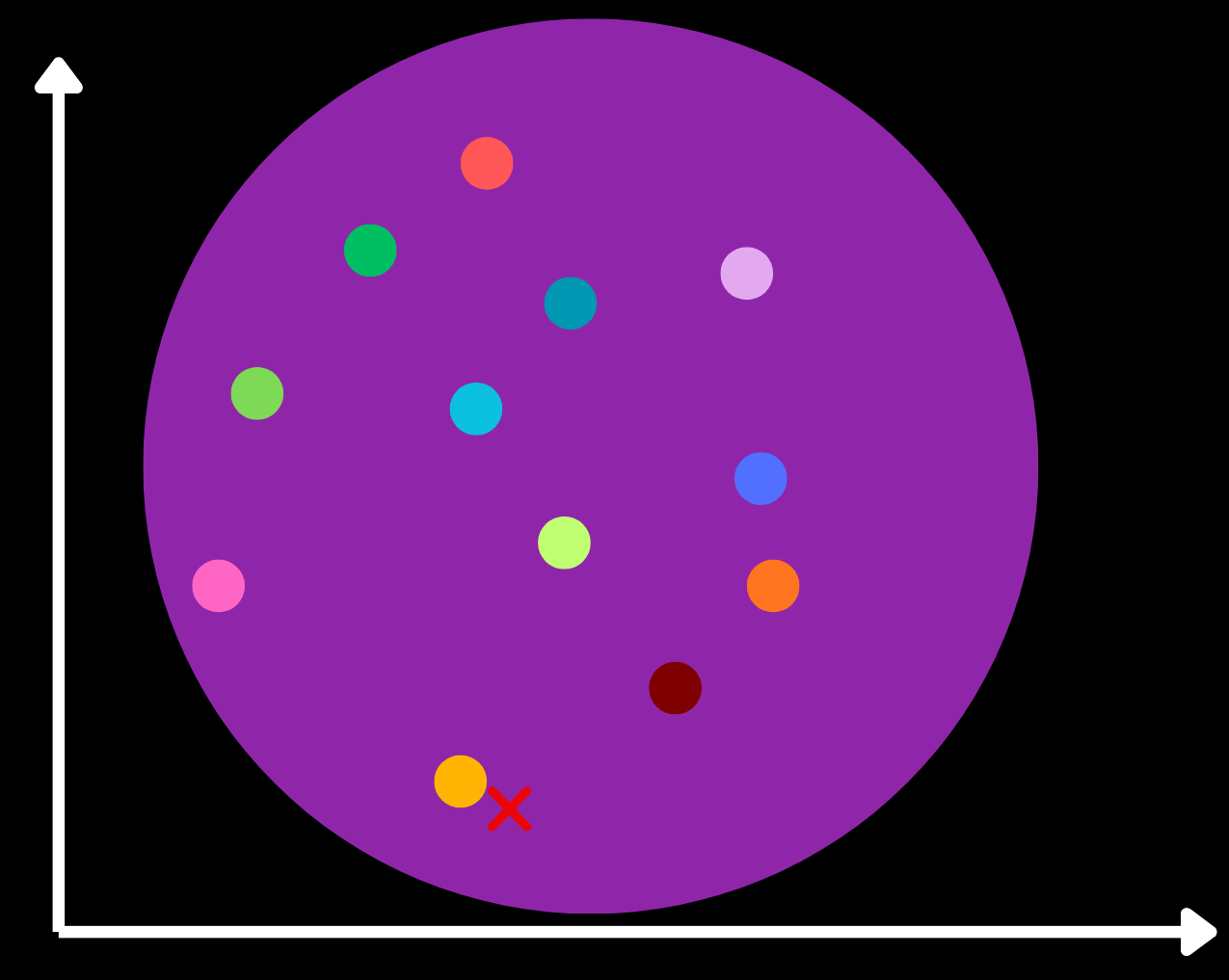
Now, within the purple cluster the documents are further sorted by applying the k‑means algorithm again. The red × is now closest to the yellow centroid, so we explore the yellow cluster.
The yellow cluster contains a group of documents, which we can then compare to the prompt’s vector to find relevant document.
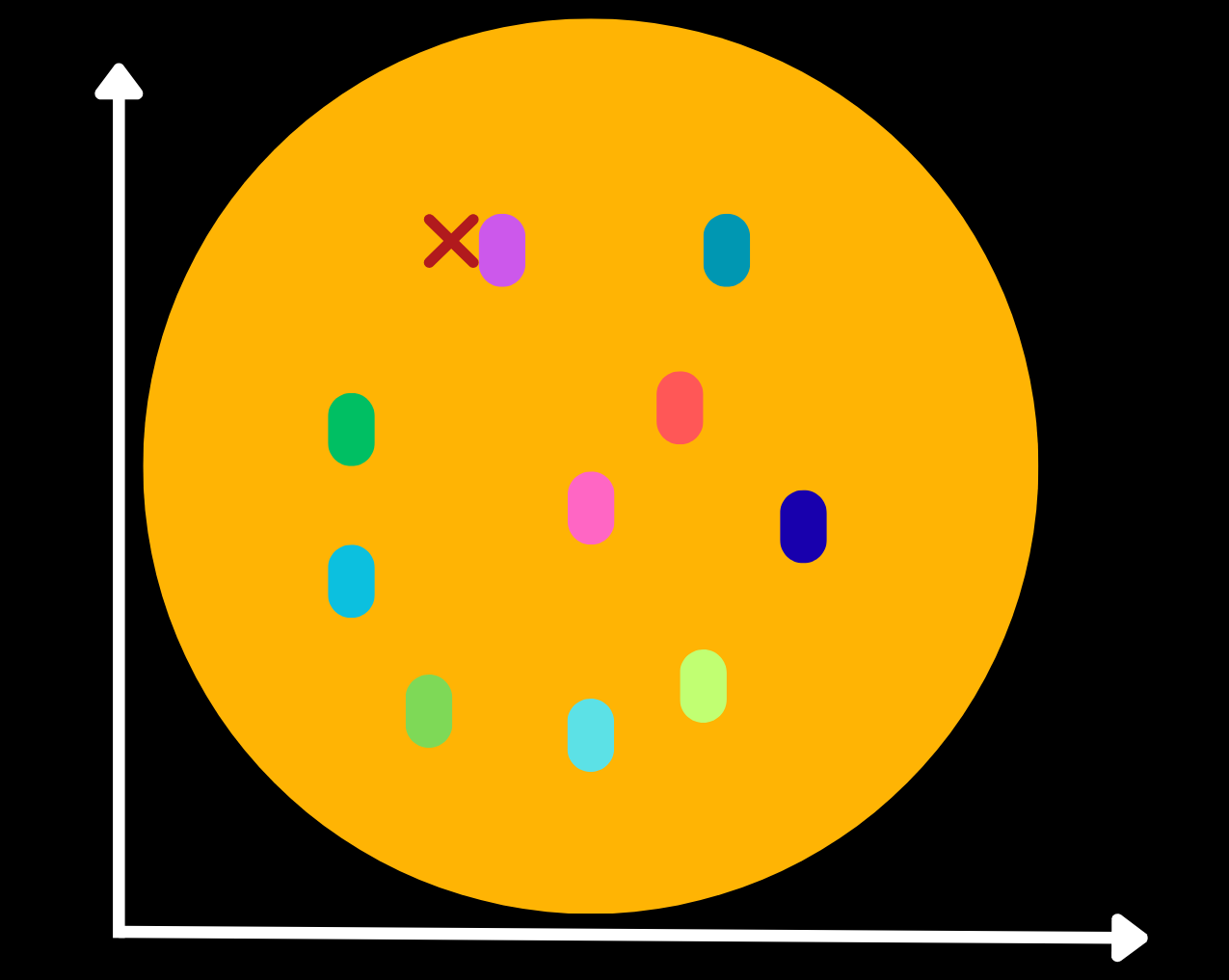
For each document we select for text ranking, we determine which paragraphs are most relevant using a cross‑encoder model. By default, Eric Search uses cross-encoder/ms-marco-MiniLM-L-6-v2.
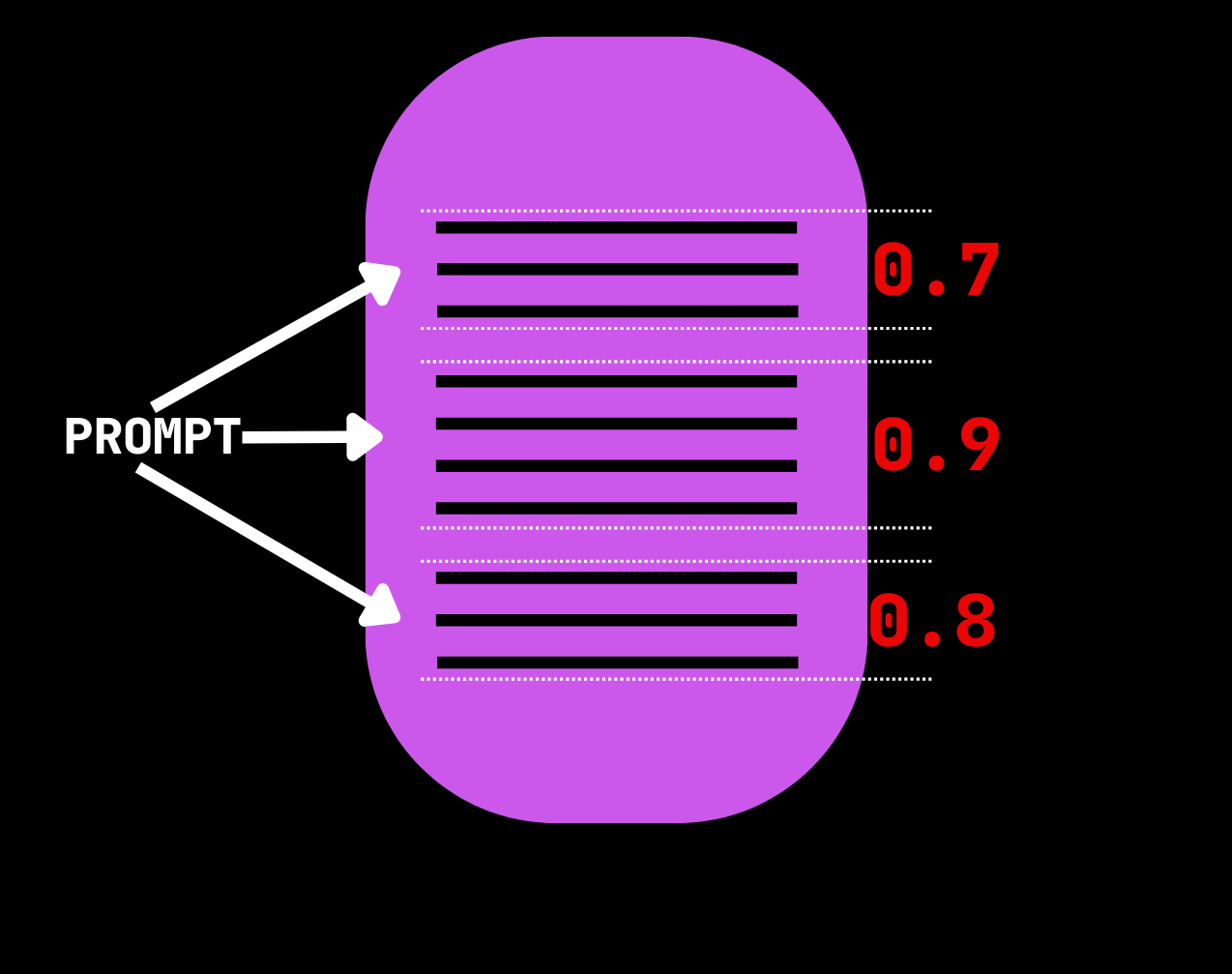
In the example above, the middle paragraph has the highest score, so it is the top candidate.
Eric Search explores multiple clusters and applies text ranking to multiple documents. As you’ll see in the following example, the leaf_count parameter controls how many of the second‑layer clusters are explored, and the ranker_count parameter controls how many documents the cross‑encoder analyzes.
RAG Example: BillSum
Rent a GPU
Eric Search supports CPU, MPS, and CUDA. I typically rent GPUs on Runpod for the best performance. You can use the following affiliate link and receive a one-time credit of $5 – $500 after you add $10 for the first time.
https://runpod.io?ref=rh7fgnfm
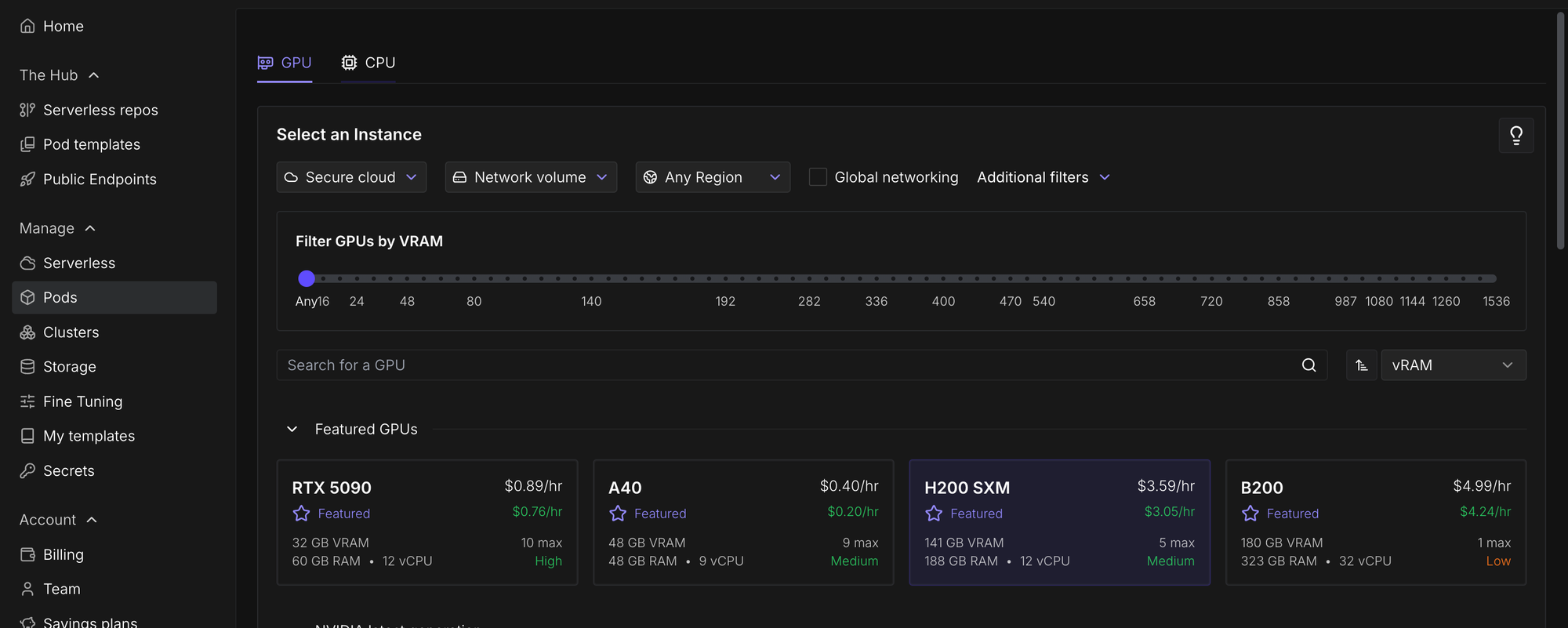
Navigate to Pods and then select a GPU. I selected an H200 SXM since we're going to perform inference with a 20-billion-parameter model later on in this tutorial and so we need lots of VRAM.
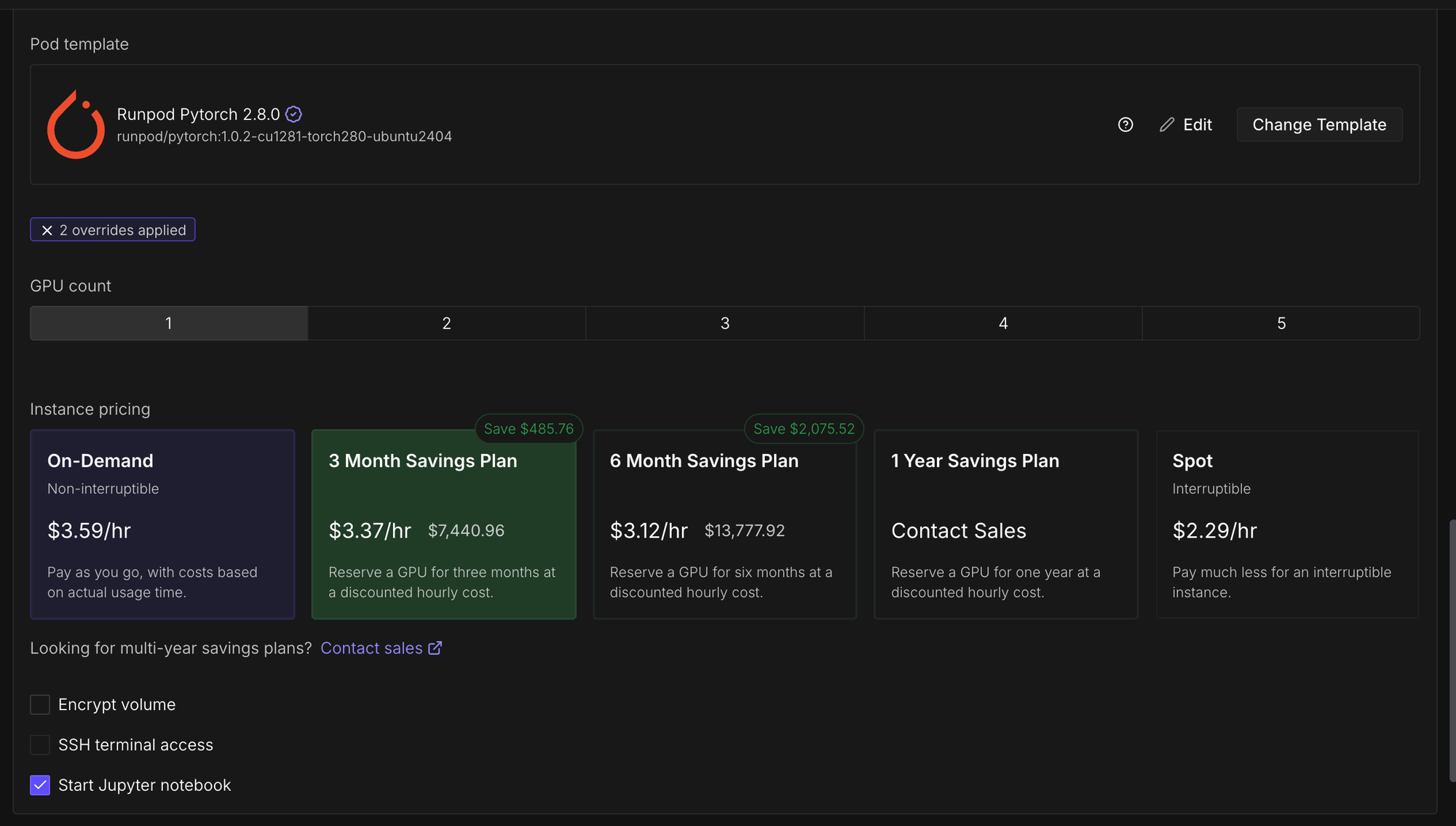
Change the template to PyTorch 2.8.0.
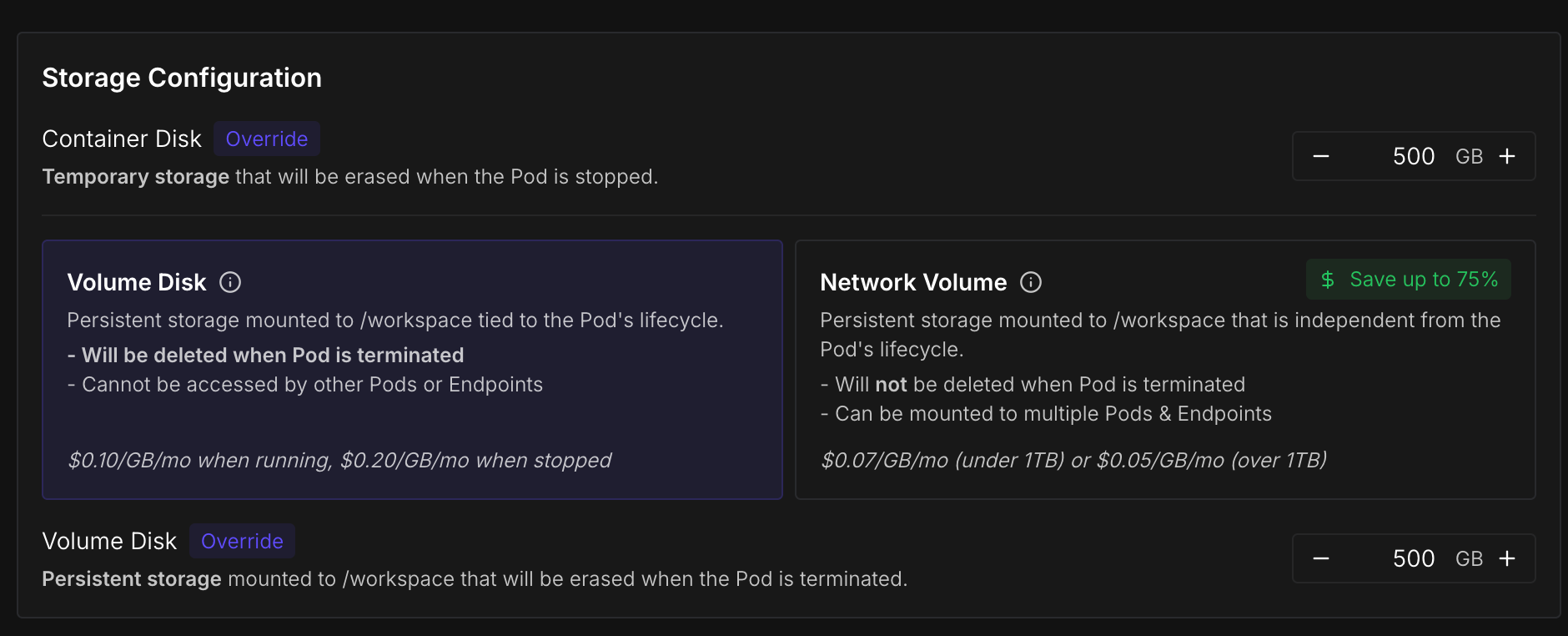
Increase the container disk and volume disk to 500GB , which is more than enough for this tutorial.
Finally, click "Deploy On-Demand".

Install Dependencies
We need to install two Python packages from PyPI: ericsearch and datasets.
pip install ericsearch datasetsIf you're using Runpod you also need to install hf_transfer.
pip install hf_transferData
The data must be formatted as a JSONL file with a field called text. You can include another field called metadata, which contains a dictionary for additional information.
{"text": "Document text goes here. Several paragraphs." }We are using this Wikipedia dump. The most recent English split is called "20231101.en" and contains 6,407,814 articles. I recommend you complete the tutorial with 1000 articles before proceeding entire dataset.
import json
from tqdm import tqdm
from datasets import load_dataset

# 1000 articles
ds = load_dataset("wikimedia/wikipedia", "20231101.en", split="train[:1000]")

# all articles:
# ds = load_dataset("wikimedia/wikipedia", "20231101.en", split="train[:]")


with open("train.jsonl", "w", encoding="utf-8") as f:
    for doc in tqdm(ds):
        doc_text = doc["text"]
        json_case = {"text": doc_text,
                     "metadata": {"id": doc["id"], "url": doc["url"], "title": doc["title"]}
                     }
        f.write(json.dumps(json_case )+ "\n")

The data has just been written to train.jsonl.
Train
To create the vector database, instantiate an EricSearch() object and then call its .train() method. Optionally, you can create a SearchTrainArgs object and pass it to the args parameter of EricSearch.train(). In SearchTrainArgs, the out_dir parameter specifies where the output dataset will be saved, and the bs parameter sets the batch size.
from ericsearch import EricSearch, SearchTrainArgs

eric_search = EricSearch()

args = SearchTrainArgs(out_dir="eric_search/", bs=32)

eric_search.train("train.jsonl", args=args)
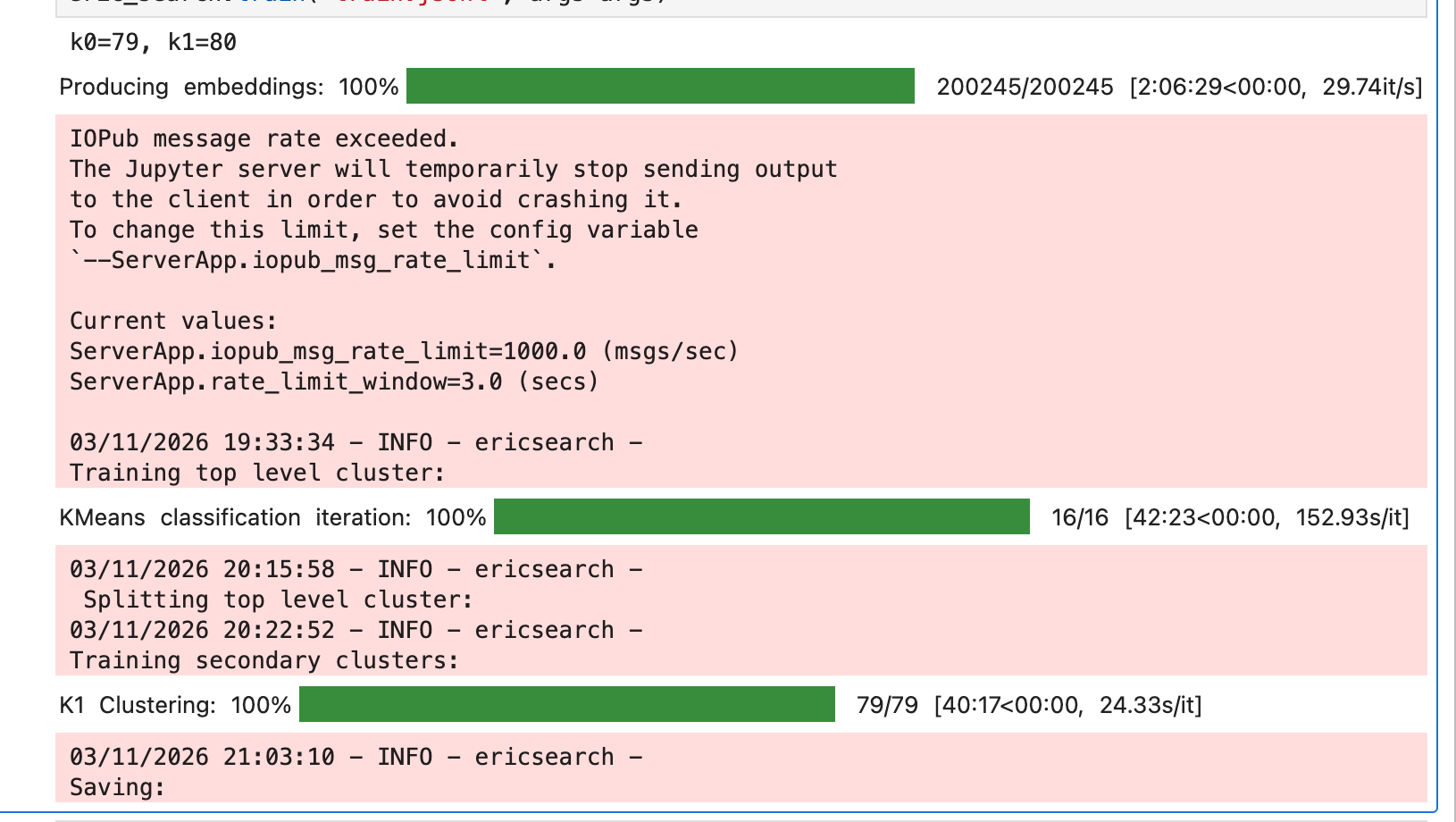
By default, Eric Search uses sentence-transformers/all-MiniLM-L6-v2 to create the embeddings, but this can be changed by setting the model_name parameter of Eric Search.
Search
Now load the dataset by passing either SearchTrainArgs's out_dir parameter or the dataset's Hugging Face ID to EricSearch's data_name parameter during initialization.
from ericsearch import EricSearch, SearchCallArgs

# You can instead use the Hugging Face ID for data_name
eric_search = EricSearch(data_name="eric_search/")

search_args = SearchCallArgs(limit=4, leaf_count=32, ranker_count=4, bs=32)

result = eric_search("NLP Transformer models", args=search_args)

print(result)
print(result[0].text) # top text result
Push to Hugging Face
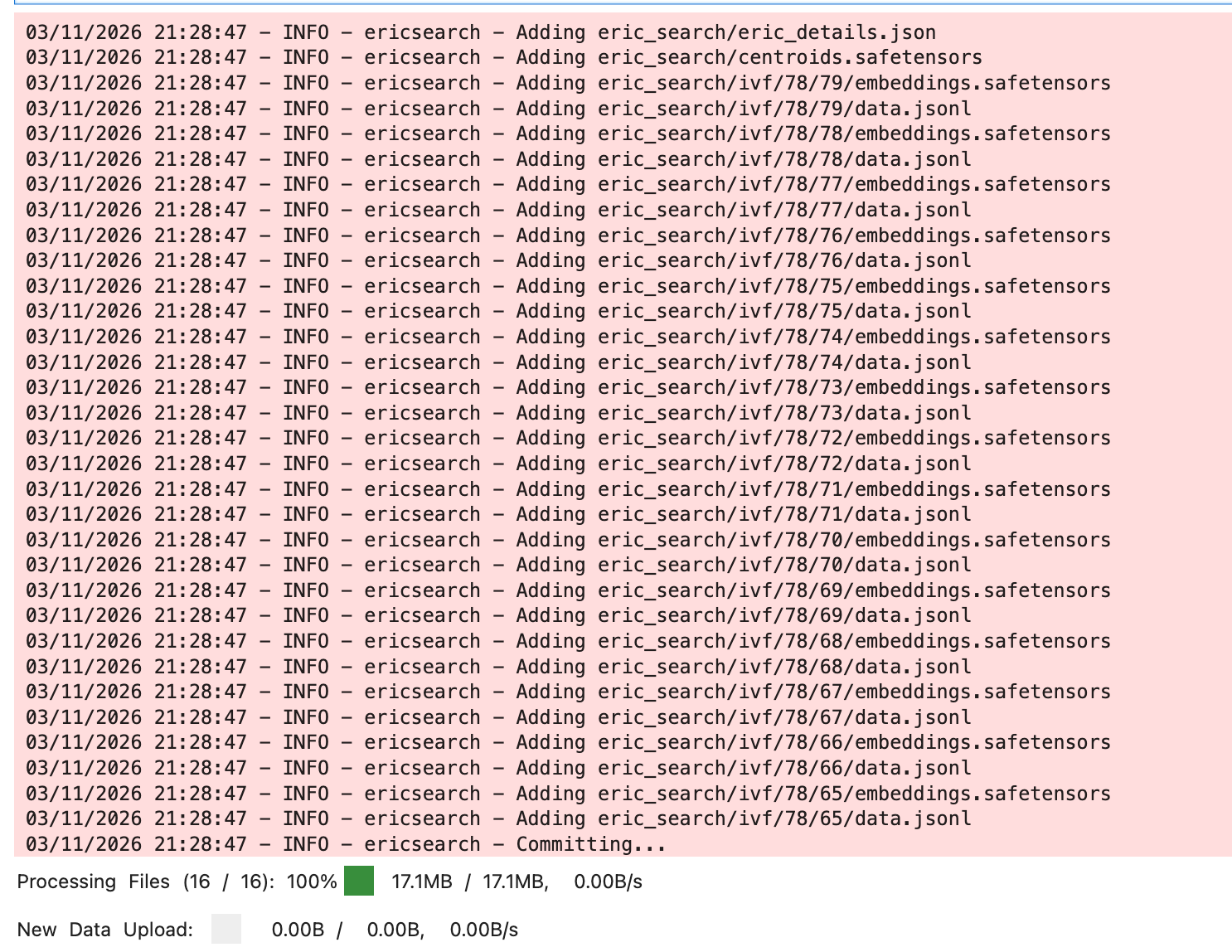
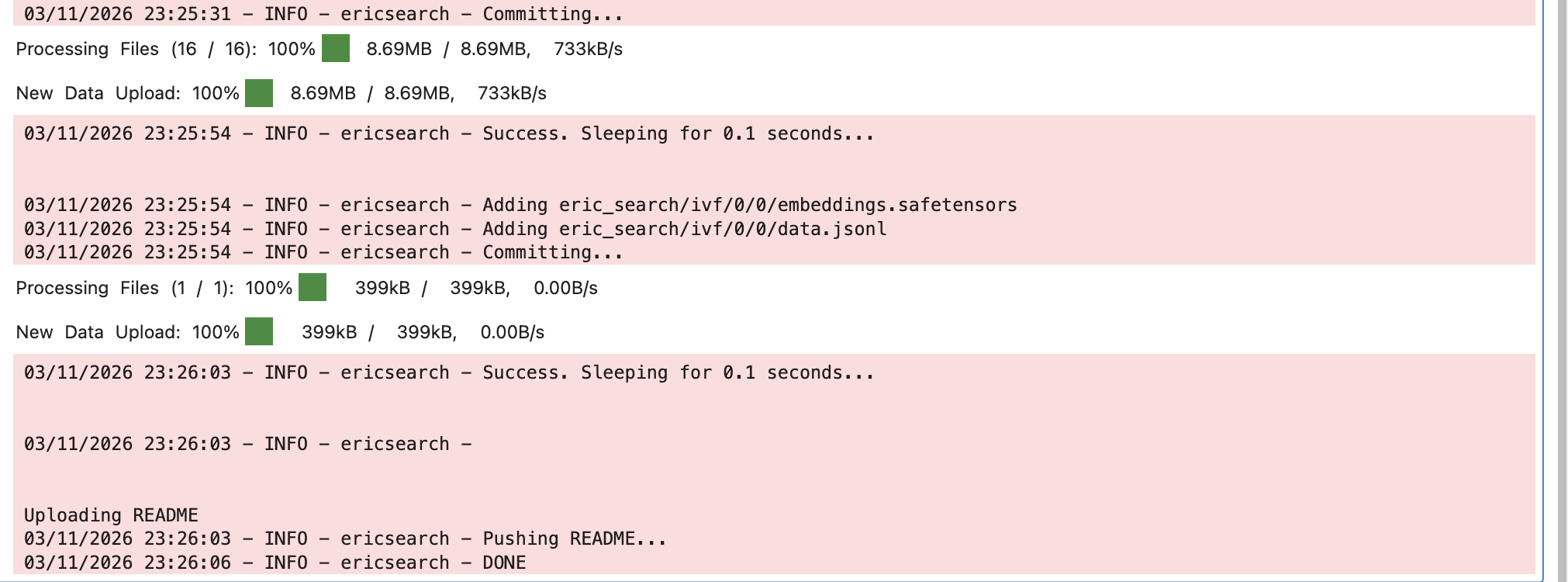
You can call EricSearch’s push method to upload the dataset to Hugging Face. For larger datasets, you may need to upgrade your account to increase its rate limits. Even after upgrading, you might have to call the .push() method multiple times and wait between failures.
hf auth loginProvide the repository name to .push()'s first positional parameter and set the bs parameter to the batch size which indicates how many sets of files are uploaded per commit. I recommend setting the batch size to 32.
from ericsearch import EricSearch

eric_search = EricSearch(data_name="eric_search/")

eric_search.push("{HF REPO NAME}", bs=32)
Retrieval‑augmented generation
RAG can be enabled with just a few lines of code by using Eric Search together with Eric Transformer. In the example below, I’ll run openai/gpt‑oss‑20b on the H200 from before.
Once again, here’s an affiliate link for Runpod that gives you a one-time credit of $5 – $500 after you add $10.
https://runpod.io?ref=rh7fgnfm
Install Dependencies
pip install erictransformeropenai/gpt‑oss‑20b requires Hugging Face's accelerate package, so we'll also pip install it.
pip install accelerate Inference:
To enable RAG, pass your EricSearch object to EricChat's eric_search parameter during initialization.
from ericsearch import EricSearch, SearchCallArgs

from erictransformer import EricChat, CHATCallArgs

eric_search = EricSearch(data_name="eric_search/")
# eric_search = EricSearch(data_name="{HF REPO NAME}")

eric_chat = EricChat(model_name="openai/gpt-oss-20b", eric_search=eric_search)


# the limit parameter controls how many paragraphs are passed to the chat model for context.
search_args = SearchCallArgs(limit=8, leaf_count=32, ranker_count=4, bs=32)

call_args = CHATCallArgs(search_args=search_args)

prompt = "Explain Artificial Intelligence in five bullet points"

result = eric_chat(prompt, args=call_args)

print(result.text)

# Streaming

for token in eric_chat.stream(prompt, args=call_args):
    if token.marker == "text":
        print(token.text, end = "")
Links
Drop Eric Search a ⭐ to show your support.
 EricFillion
Subscribe to Vennify's YouTube channel for upcoming content on NLP.
Runpod Affiliate Link: Get between a one-time $5 to $500 credit after you add $10 for the first time. Runpod has B200s available!